Video Editing Tips: A Comprehensive Guide to Crafting Professional Content
In today’s digital landscape, video content has become one of the most powerful forms of communication. From social media platforms to professional marketing campaigns, videos influence how audiences consume information and engage with brands. However, creating impactful visuals requires more than just recording footage; it demands thoughtful editing and creative refinement. Understanding effective video editing tips can significantly enhance the quality of any project, whether it is a short clip or a full-length production. By mastering the principles of editing, individuals can transform raw material into compelling narratives that capture attention and convey clear messages.
Understanding the Fundamentals of Video Editing
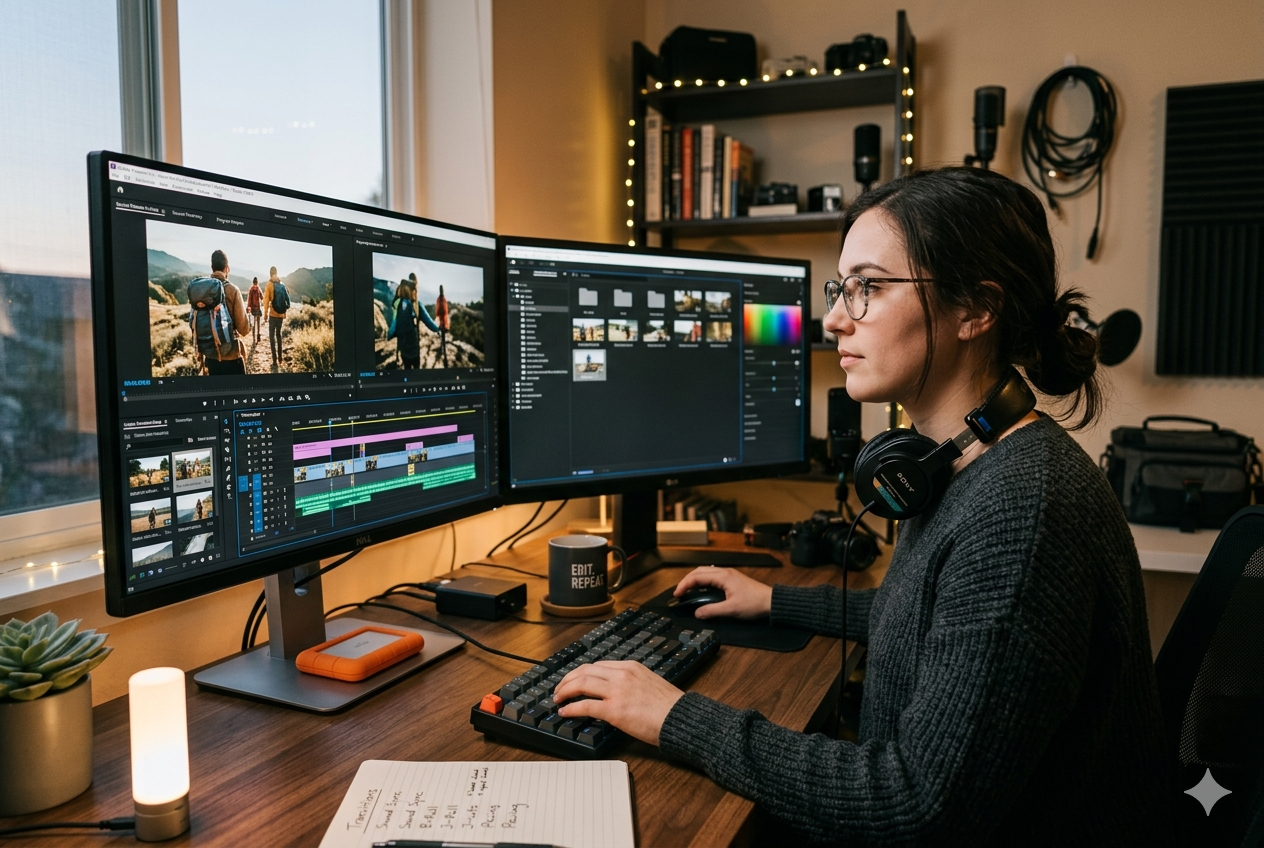
Before exploring advanced techniques, it is essential to grasp the foundational elements of video editing. Editing involves organizing, trimming, and enhancing footage to create a cohesive story. This process includes selecting the best clips, arranging them in a logical sequence, and ensuring smooth transitions between scenes.
Modern editing relies heavily on software tools such as Adobe Premiere Pro, Final Cut Pro, and DaVinci Resolve. These platforms provide a range of features, including timeline editing, color correction, and audio enhancement. Familiarity with these tools enables editors to execute their ideas efficiently and professionally.
Planning Before You Edit
Defining Your Objective
One of the most overlooked video editing tips is the importance of planning. Before beginning the editing process, it is crucial to define the purpose of the video. Whether the goal is to educate, entertain, or promote, having a clear objective guides every editing decision.
Organizing Your Footage
Proper organization saves time and reduces confusion. Labeling clips, sorting them into folders, and reviewing all footage beforehand allows editors to identify key moments quickly. This step ensures a smoother workflow and prevents unnecessary delays.
Mastering the Art of Storytelling
Creating a Narrative Flow
Effective video editing is fundamentally about storytelling. Every cut, transition, and effect should contribute to the overall narrative. A well-structured video typically includes a beginning that captures attention, a middle that develops the message, and an ending that leaves a lasting impression.
Using Cuts Strategically
Cuts are the backbone of editing. Clean and purposeful cuts maintain the viewer’s focus and prevent distractions. Avoid excessive or abrupt changes that may disrupt the flow. Instead, aim for continuity and coherence throughout the video.
Enhancing Visual Quality
Color Correction and Grading
Color plays a significant role in setting the tone of a video. Adjusting brightness, contrast, and saturation ensures visual consistency across different clips. Advanced color grading can also create specific moods, such as warmth, drama, or vibrancy.
Stabilization and Framing
Shaky footage can reduce the professionalism of a video. Many editing tools offer stabilization features that smooth out motion. Additionally, proper framing and cropping help maintain focus on the subject and eliminate unnecessary distractions.
Improving Audio Quality
Balancing Sound Levels
Audio quality is just as important as visuals. Uneven sound levels can make a video difficult to watch. Adjusting volume levels ensures that dialogue, music, and sound effects are balanced and clear.
Adding Background Music
Music enhances emotional impact and engagement. Selecting appropriate background tracks can reinforce the message and create a more immersive experience. However, it is important to ensure that music does not overpower the main audio.
Effective Use of Transitions and Effects
Keeping Transitions Simple
While editing software offers a wide range of transitions, simplicity often yields the best results. Basic transitions such as cuts and fades maintain a professional appearance. Overusing complex effects can distract viewers and reduce the overall quality.
Incorporating Visual Effects Thoughtfully
Visual effects should enhance the story rather than overshadow it. Subtle effects can add depth and interest, but excessive use may appear unprofessional. Editors should focus on maintaining balance and consistency.
Optimizing for Different Platforms
Understanding Platform Requirements
Different platforms have unique specifications for video format, resolution, and duration. For example, social media platforms often favor shorter videos with vertical or square formats. Adapting content to these requirements ensures better performance and audience engagement.
Exporting in the Right Format
Choosing the correct export settings is a critical step in the editing process. High-resolution formats such as 1080p or 4K provide better quality, while appropriate file compression ensures efficient uploading and playback.
Time Management and Workflow Efficiency
Creating a Structured Workflow
A well-organized workflow improves efficiency and reduces stress. Breaking the editing process into stages—such as rough cut, fine cut, and final adjustments—helps maintain focus and consistency.
Using Keyboard Shortcuts
Learning keyboard shortcuts can significantly speed up editing tasks. Most professional software includes customizable shortcuts that allow editors to perform actions quickly and efficiently.
Common Mistakes to Avoid
Overediting
One of the most common pitfalls is overediting. Adding too many effects, transitions, or cuts can overwhelm viewers and dilute the message. Simplicity and clarity should always be prioritized.
Ignoring Audio Quality
Neglecting audio can undermine even the most visually appealing videos. Ensuring clear and balanced sound is essential for maintaining viewer engagement.
عدم Consistency in Style
Maintaining a consistent style throughout the video is crucial. Inconsistent color grading, transitions, or pacing can make the final product appear disjointed.
Advanced Techniques for Professional Results
Multicam Editing
Multicam editing allows editors to work with footage from multiple camera angles simultaneously. This technique is particularly useful for interviews, events, and live performances, as it adds variety and depth.
Motion Graphics and Titles
Incorporating motion graphics and titles can enhance the visual appeal of a video. Clear and engaging text elements help convey information effectively and improve overall presentation.
سرعة and Timing Adjustments
Adjusting the speed of clips can create dynamic effects. Slow motion can emphasize important moments, while time-lapse sequences can condense longer scenes into shorter durations.
Conclusion
Mastering video editing tips is essential for anyone looking to create high-quality and engaging content. From understanding the basics to applying advanced techniques, each step in the editing process contributes to the final outcome. By focusing on storytelling, maintaining visual and audio quality, and optimizing for different platforms, editors can produce videos that resonate with their audience.
Ultimately, effective editing is a combination of technical skill and creative vision. With practice and attention to detail, anyone can develop the ability to transform raw footage into compelling visual stories. As video continues to dominate digital communication, refining these skills will remain a valuable and rewarding endeavor.